

User Stories Generation
User Stories translate functional features into human-centric requirements. Vibemap automatically generates these using the standard "As a [user], I want to [action], so that [benefit]" format, ensuring every development task is tied to real user value.
Accessing User Stories Section
Navigation
User Stories are integrated into the Features section to maintain the relationship between high-level functionality and granular requirements.
Navigate to the project sidebar.
Click the "Features" tab.
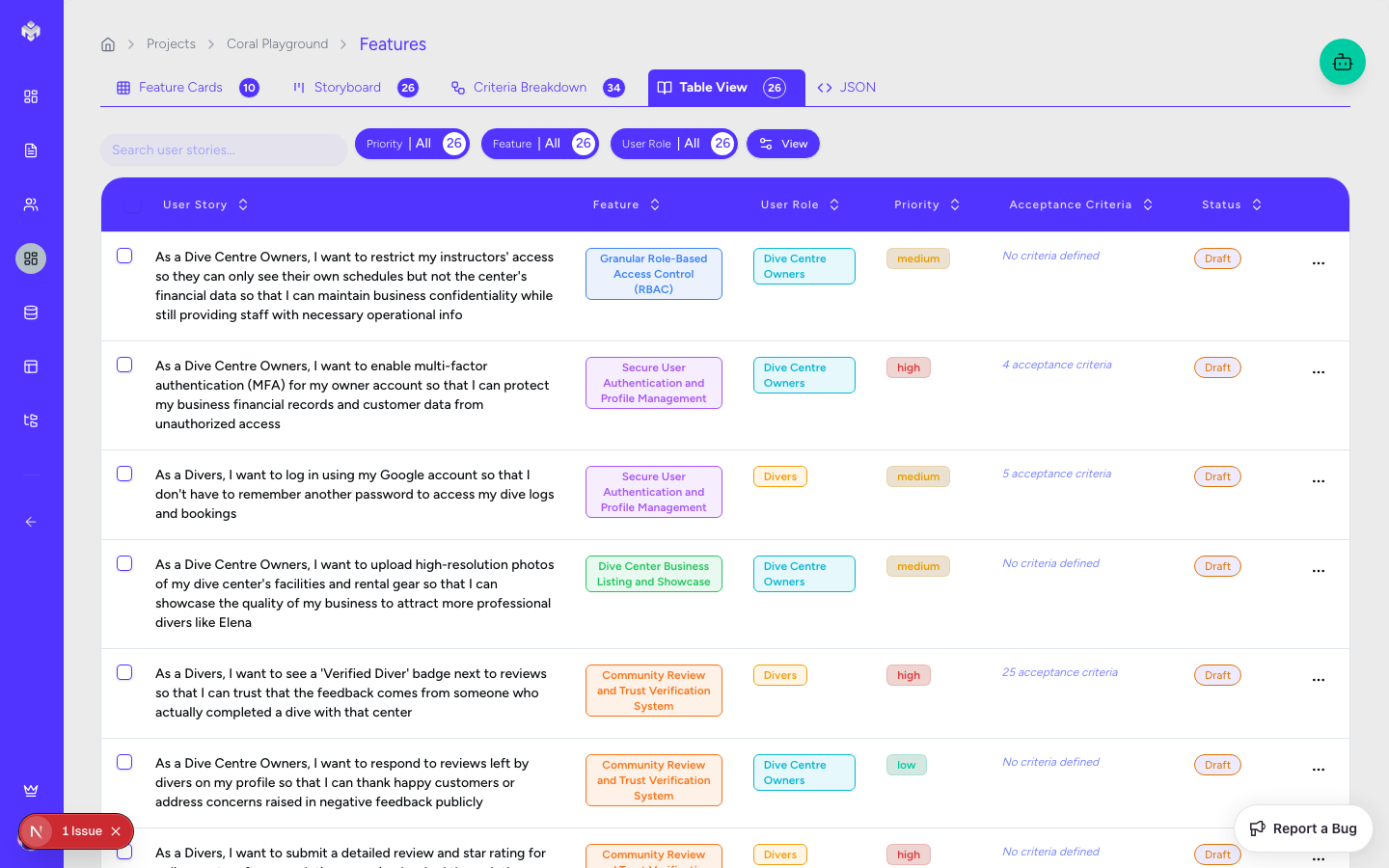
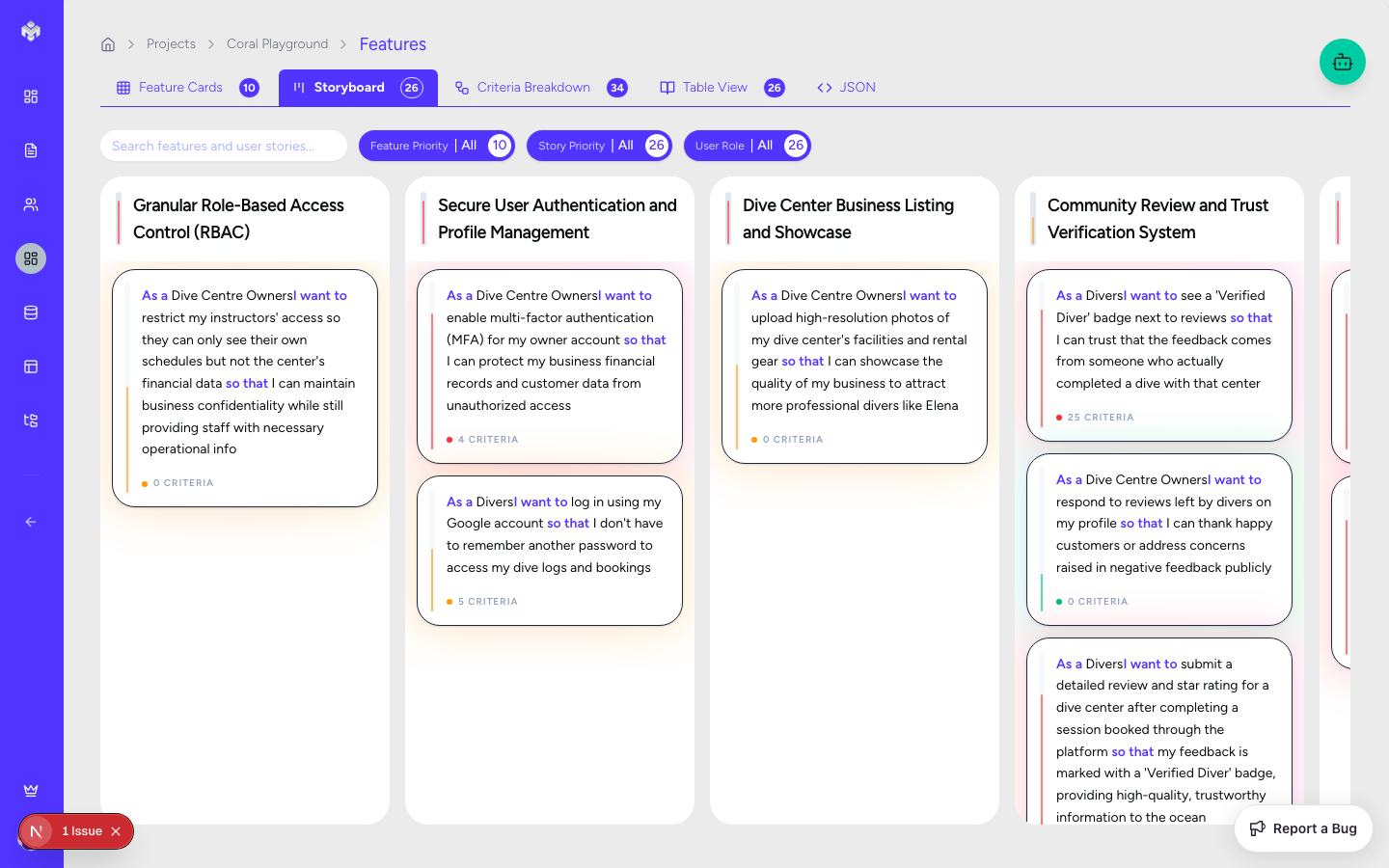
Select the "Table View" or "Storyboard" tabs to see the stories associated with each feature.
Page Layout
Features Table: Displays stories grouped by their parent feature.
Filters: Quickly narrow down stories by associated persona, priority, or status.
Search: Find specific stories by searching for keywords in the goal or benefit fields.
Generating User Stories
Automated Generation
When you generate features, Vibemap automatically creates a set of associated user stories. This "persona-first" approach ensures that the requirements are tailored to the specific user types you defined in the previous step.
What Gets Generated
Story Titles: Descriptive, actionable titles (e.g., "Product Search", "User Registration").
As a [User]: Linked directly to your defined Personas.
I want [Goal]: The specific functionality the user needs.
So that [Benefit]: The underlying business value or user satisfaction.
Priority Levels: AI-suggested High/Medium/Low assignments.
Effort Estimates: Initial story point suggestions for development planning.
User Story Views
Table View
The Table View provides a comprehensive list of all stories. It's the best place for bulk editing and technical review.
Columns:
As a: The persona role.
I want: The functional goal.
So that: The benefit or reason.
Status: Not Started, In Progress, Completed.
Priority: High, Medium, Low.
Effort: Story points (1, 2, 3, 5, 8, 13).
Storyboard View
The Storyboard groups user stories under their respective feature cards. This is ideal for visualizing the "User Journey" and ensuring all features have adequate story coverage.
User Story Quality & Structure
Vibemap follows industry best practices for story writing.
Standard Format
User Role: Who is performing the action? (Must match a persona).
Action/Goal: What is the user trying to do? (Must be specific and actionable).
Value/Benefit: Why are they doing it? (Must provide clear value).
Examples of High-Quality Stories
✅ Good: "As a Customer, I want to filter products by price, so that I can find items within my budget quickly."
✅ Good: "As an Admin, I want to deactivate user accounts, so that I can manage security and platform abuse."
Poor Story Examples to Avoid
❌ Bad: "As a user, I want the app to be fast." (Too vague, not a functional goal).
❌ Bad: "As a developer, I want to write the CSS." (Not a user-centric story; this is a task).
Manual Management
Adding a Custom Story
Within the Features tab, click "Add Feature" or edit an existing feature.
Scroll to the "User Stories" section.
Fill in the title and the "As a / I want / So that" fields.
Assign a priority and estimated effort.
Editing and Refining
AI-generated stories are a starting point. You can manually refine the wording to better match your specific business terminology. Clicking the edit icon on any story in the table view allows you to modify any of the fields.
Deleting Stories
Individual stories can be removed if they are out of scope. Note that deleting a story will also remove its associated Acceptance Criteria.
Story Estimation (Story Points)
Vibemap uses the Fibonacci sequence for effort estimation:
1-2 Points: Simple tasks, minimal risk.
3-5 Points: Medium complexity, requires more development time.
8-13 Points: Complex features or "Epics" that might need to be broken down further.
Next Steps
Once your stories are refined, proceed to the Acceptance Criteria Breakdown to define the specific technical requirements for each story.
Last updated
Was this helpful?