

Managing Personas
Vibemap provides a robust set of tools to organize, refine, and utilize your user personas throughout the entire project lifecycle. This section covers how to manually manage your audience segments to ensure your project remains focused on the right users.
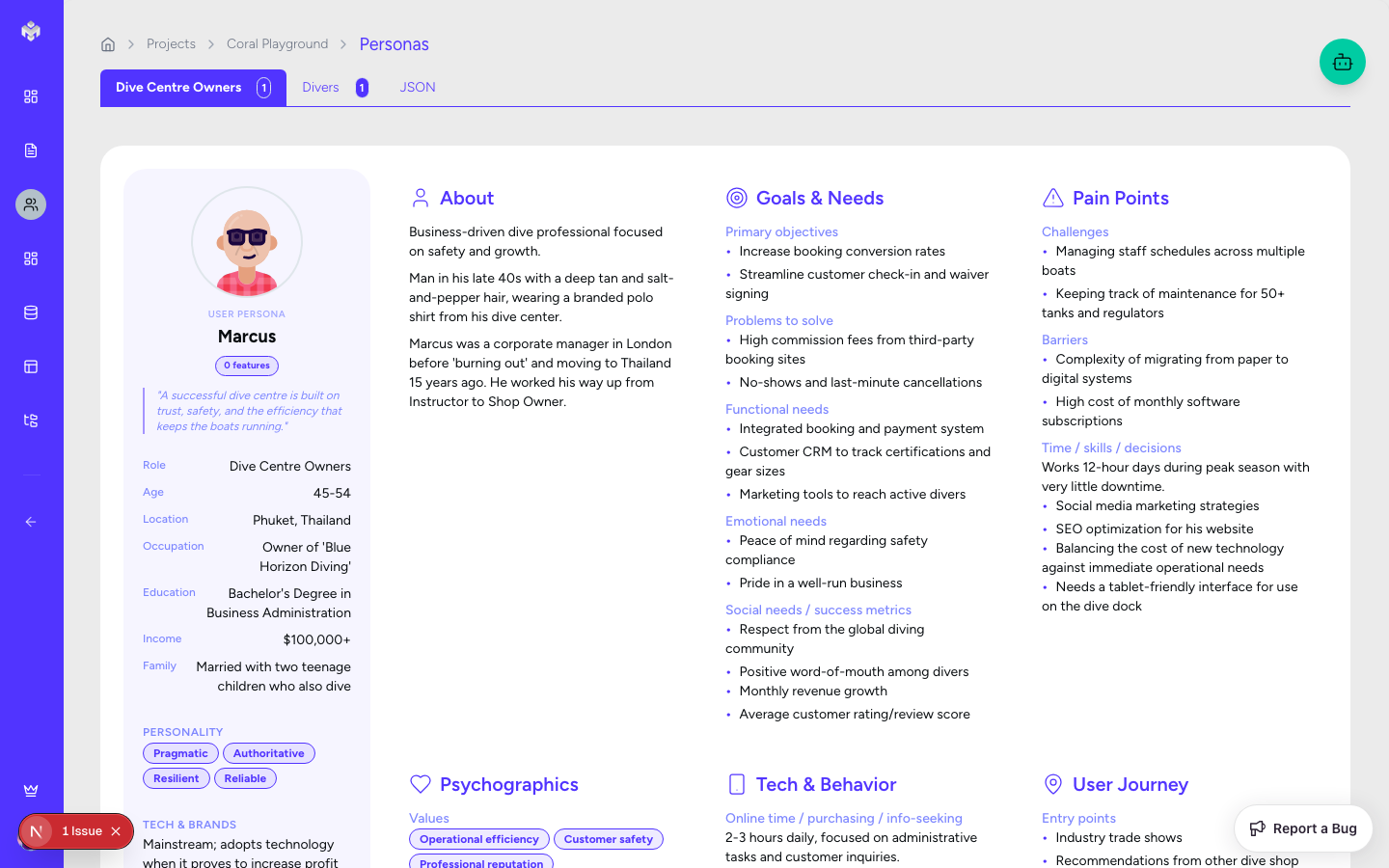
Persona Operations (CRUD)
1. Creating Personas
Beyond initial AI generation, you can manually add personas to capture niche audiences.
Manual Add: Click the "Add Persona" button in the header.
Required Fields:
Name: A representative name (e.g., "Tech-Savvy Tina").
Role: Select from primary roles identified in your project summary.
Demographics: Age, Location, and Occupation.
Validation: Names must be unique within a project, and roles must be assigned to help the AI link them to features later.
2. Reading and Exploring
Vibemap offers multiple ways to view your personas:
Grid View: A visual card-based layout perfect for empathy mapping.
Role Filtering: Use the tabs at the top to focus on specific segments (e.g., "Admins" vs "Customers").
Search: Quickly find personas by searching for keywords in their goals or pain points.
3. Updating and Refining
As your project evolves, so do your users.
Inline Editing: Click the edit icon on any card to open the full editor.
Rich Text Fields: Deep-dive into Goals, Pain Points, and Behavior Patterns.
Technology Profile: Update tech comfort levels and preferred devices.
Saving: All changes are versioned and immediately reflected in any generated User Stories.
4. Deletion
Individual Deletion: Remove a persona using the delete icon.
Impact Assessment: The system will warn you if the persona is currently the primary "actor" in any high-priority User Stories.
Bulk Actions: Select multiple personas to remove them in one action if they no longer fit your project scope.
Organization & Categorization
Role-Based Grouping
Personas are automatically categorized by their primary role in the system.
Primary Users: The core audience that drives the most value.
Secondary Users: Users who interact with the system but aren't the main focus.
Admin/Internal: Staff who manage the platform.
Tagging & Custom Attributes
You can add custom tags to personas (e.g., "Mobile-First", "High-Value", "Legacy User") to help filter requirements during the feature generation phase.
Persona Templates
To save time, Vibemap provides a library of Industry Templates. You can import standard personas for:
E-commerce: (e.g., The Bargain Hunter, The Loyal Subscriber).
SaaS: (e.g., The Team Leader, The IT Admin).
Social Media: (e.g., The Content Creator, The Casual Scroller).
Analytics & Metrics
Track the "Health" of your personas:
Completeness Score: Ensure every persona has adequate goals and pain points.
Feature Coverage: See which personas have the most (and least) features designed for them.
Story Mapping: View a list of all user stories associated with a specific persona.
Export & Integration
Your personas shouldn't live only in Vibemap.
Documentation Export: Export as part of a PRD in Markdown or PDF.
Design Tool Sync: Export persona summaries for use in Figma or Sketch plugins.
Project Management: Sync persona metadata with tools like Jira or Asana to provide context for developers.
Last updated
Was this helpful?