

Managing Pages and Components
Once your project's architecture is generated, Vibemap provides a suite of tools to manage, refine, and track the development of your application's UI. This section covers the advanced management features that help you maintain a high-quality information architecture.
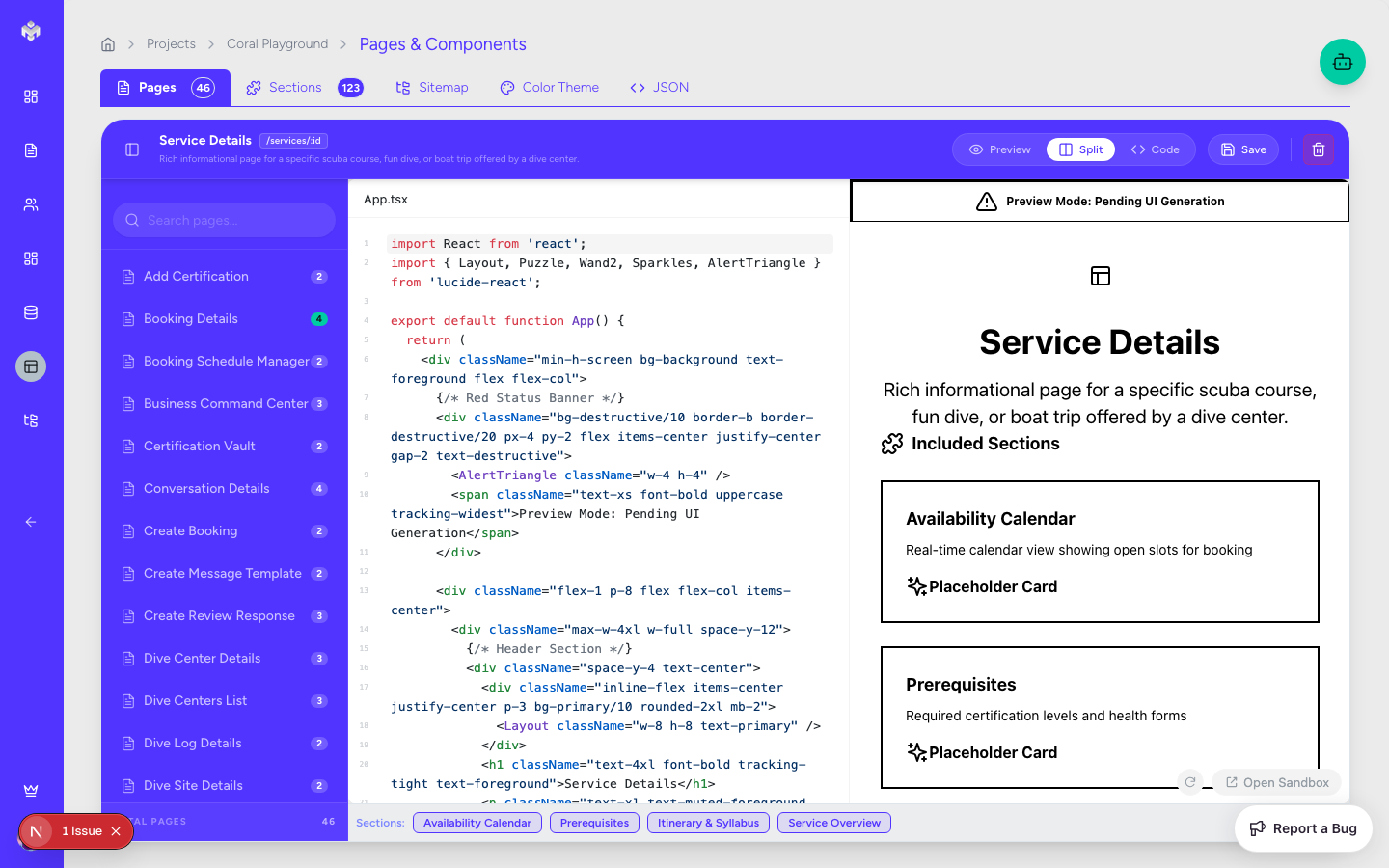
Page Management & Organization
1. Hierarchy and Routing
Pages are organized in a tree structure that reflects your application's routing:
Main Pages: Top-level routes (e.g.,
/dashboard,/settings).Sub-Pages: Nested routes (e.g.,
/settings/profile,/settings/billing).System Pages: Dedicated views for 404 errors, loading states, and authentication flows.
Modals/Overlays: Specialized "pages" that appear as overlays but require distinct requirement definitions.
2. Status & Progress Tracking
Manage the development lifecycle of your UI:
Workflow: Move pages from Not Started → In Progress → Completed.
Priority: Mark "Critical Path" pages (like Checkout or Login) with High priority to signal their importance to the team.
Archiving: Hide pages that are currently out of scope without deleting their underlying data.
3. Dependency Mapping
Understand how your pages connect:
Parent/Child Relationships: Inherited layouts and data contexts.
Navigation Links: Map which pages link to each other to ensure a cohesive user journey.
Risk Assessment: Identify complex pages that have high dependency counts.
Component Library Management
1. Atomic Design Principles
Vibemap encourages an organized component hierarchy:
Atoms: Basic elements like buttons and input fields.
Molecules: Groups of atoms, such as a search bar with a button.
Organisms: Complex sections like a navigation header or a product grid.
Templates: Page-level layouts that define where organisms are placed.
2. Reusability & Standards
Global Components: Identify elements used across multiple pages to minimize code duplication.
Design System Sync: Ensure all components adhere to the generated Color Theme and typography rules.
Version Control: Track changes to component definitions over time.
Advanced Workspace Features
Bulk Operations
Save time by managing multiple items at once:
Bulk Status Update: Mark an entire module as "Completed".
Bulk Assignment: Link a group of user stories to a specific page in one action.
Bulk Export: Download code scaffolds for multiple components simultaneously.
Analysis & Reporting
Component Coverage: See which pages are missing essential UI components.
Requirement Mapping: Ensure every User Story is mapped to at least one page.
Complexity Reports: Identify "heavy" pages that might need further decomposition.
Quality Assurance & Testing
Vibemap helps you plan for quality:
Validation Checklists: Ensure every page meets its Acceptance Criteria.
Accessibility Audit: Track if components have been designed with a11y standards (e.g., ARIA labels) in mind.
Preview Testing: Switch between Mobile and Desktop views in the UI workspace to verify responsiveness.
Export & Third-Party Integration
Design Tools: Export your component list and color tokens to Figma or Sketch.
Project Management: Sync page implementation status with Jira or GitHub Issues.
Technical Export: Export your finalized sitemap as a structured JSON for custom build scripts.
Last updated
Was this helpful?